Running a game
Effects and conditions
Shield of Faith, Bless, Restrained and your own effects change a token's numbers, show on the TV and run out with the turns.
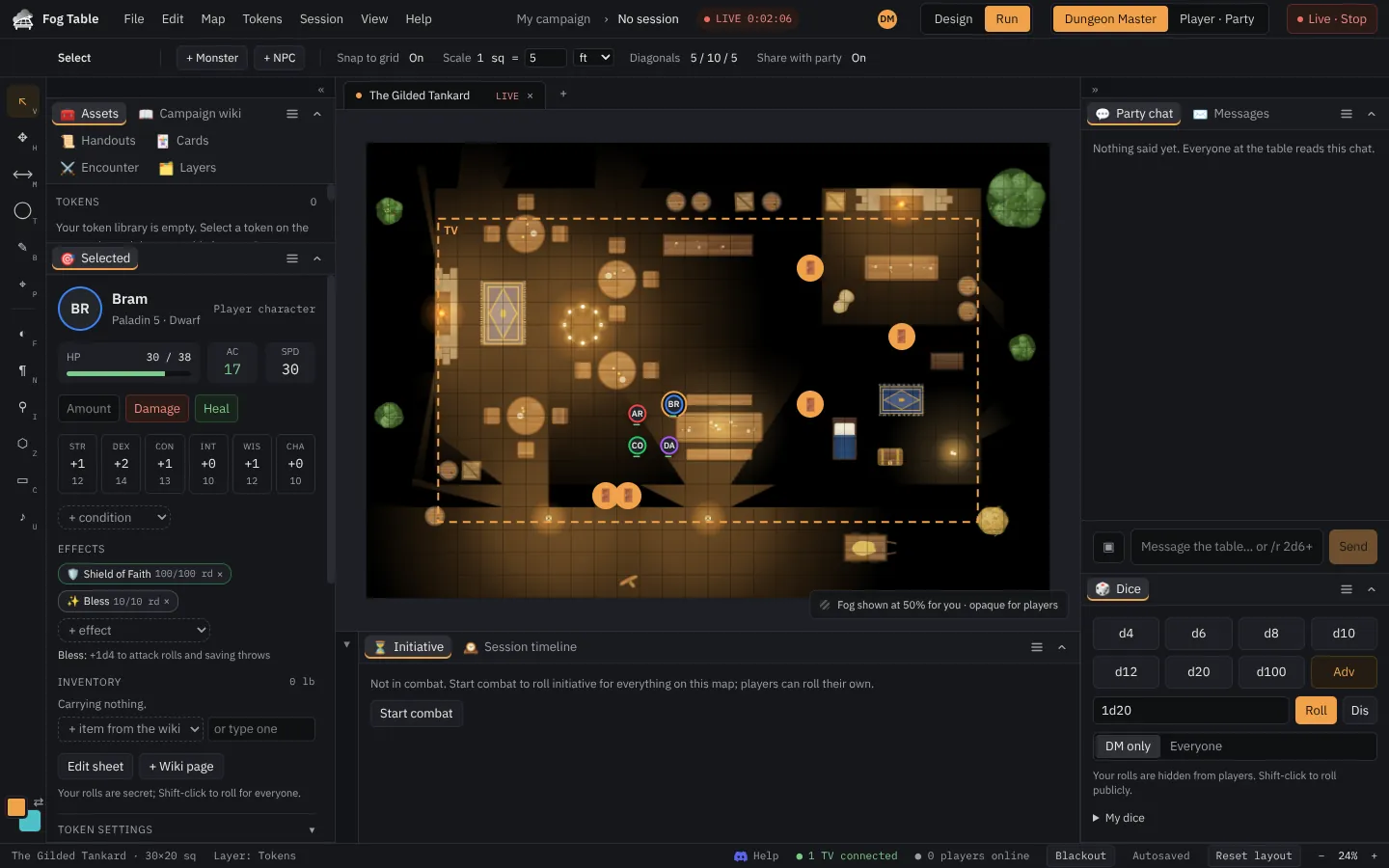
Effects change a creature's numbers while they last. Add them in the token's sheet in the Selected panel.
Add an effect or condition
- Select the token.
- In the sheet, pick one from the + effect list (spells such as Shield of Faith, Shield or Bless) or the conditions list (Blinded, Prone, Restrained…).
- The sheet updates at once: Shield of Faith adds 2 to AC, Restrained drops speed to 0 and notes what it does to rolls.
Remove one with its ✕.
Your own effects
Choose Custom… in the + effect list: give it a name and an icon, then + change a number for each number it changes (AC, speed, an ability…) and by how much. Tick Secret to keep it on your screen only, for a curse the party doesn't know about yet. Save effect.
On the TV
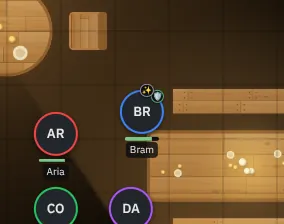
The TV draws a small badge on the token for each effect everyone may see. Secret effects never leave your console.
Durations
Effects with a length in rounds count down at the start of the creature's own turn during combat. When one runs out, the Initiative panel tells you (for example "Shield on Hero ended") and the numbers go back.